Field app for cleaners
The clean runs in order, with proof, even in a basement.
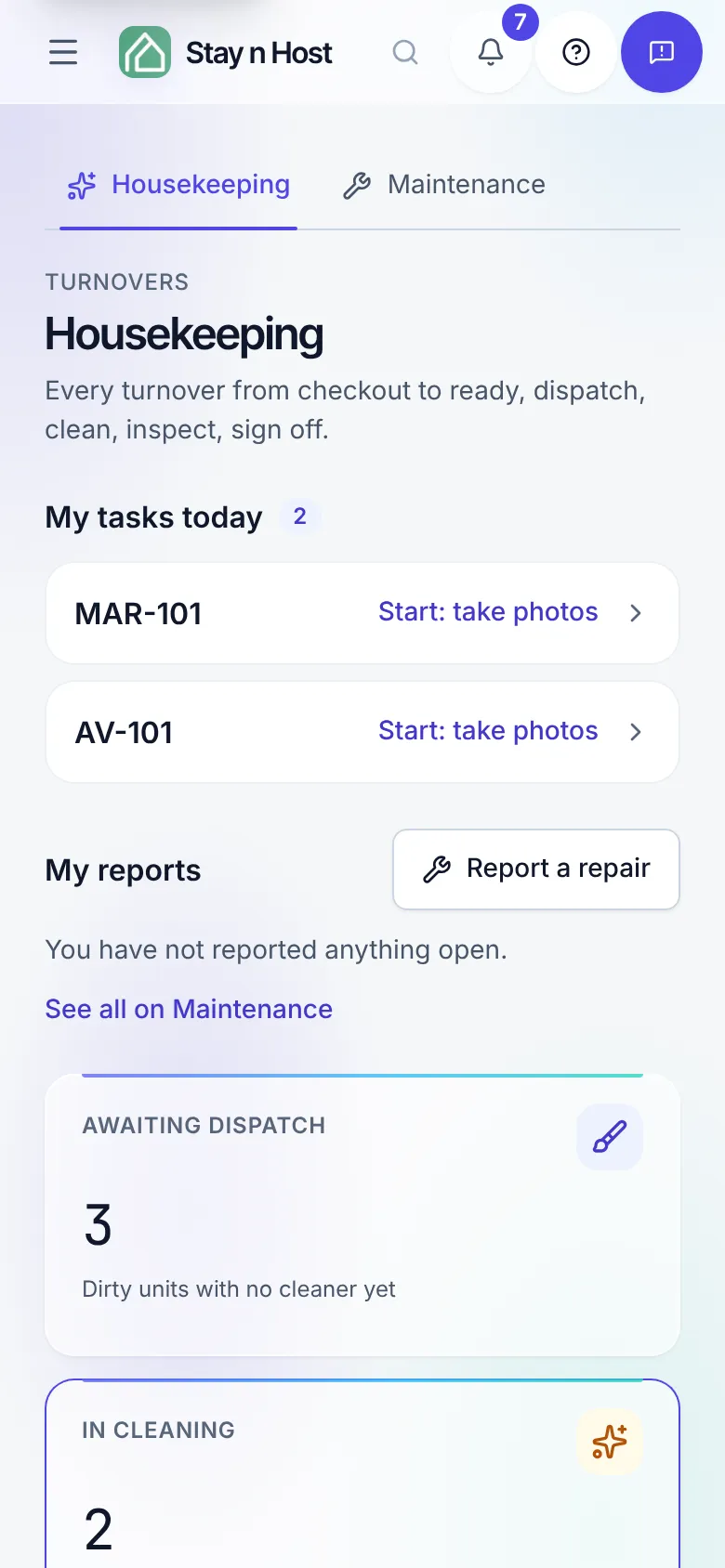
A cleaner signs in on their phone and sees only their own jobs. Each job walks them through the clean one step at a time, photographs the unit before and after, and keeps working when the signal drops. The office sees the result on the turnover board, with the evidence attached.
The guided clean
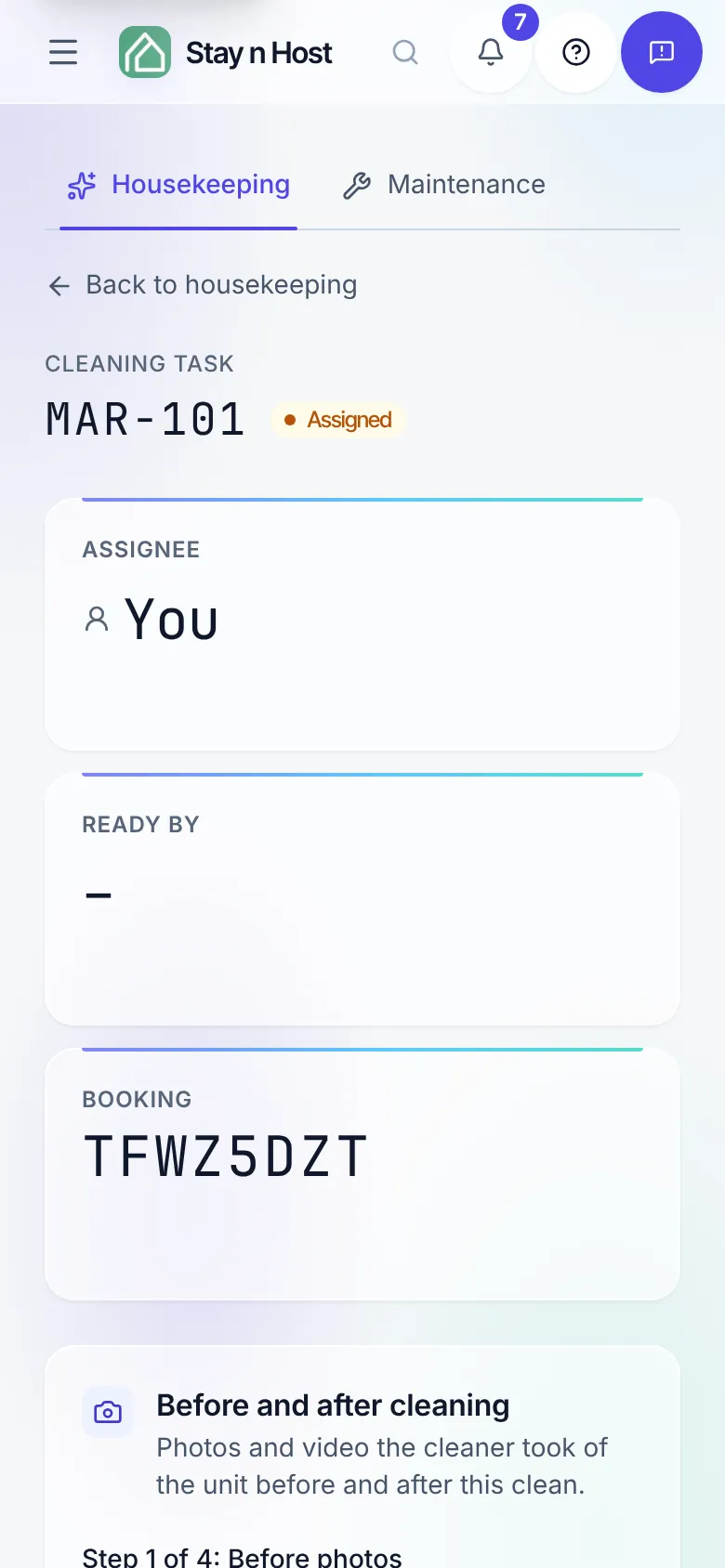
Four steps. The page only offers the one you are on.
Before photos
Take photo, or add photos and videos of the unit as the guest left it: every room, and anything already broken. It protects the cleaner.
Start cleaning
Appears once a before photo is saved. The job turns to Cleaning, so the office knows someone is on site.
After photos
The finished rooms, as many as they can. Add more photos or videos later if something was missed.
Mark cleaned
Sends the unit for inspection, or straight to ready when your workspace does not inspect after cleaning.
No photo? Skip, with a written reason that is saved on the job and shown to the inspector.
The outbox
A dead zone does not lose the work.
When the phone cannot reach the server, Start, the photos and Mark cleaned are kept on the phone and sent in the order they were taken once the signal returns. A banner says how many are waiting, and Send now pushes them the moment a bar appears.
A thin signal is retried a few times before a step is kept for later, and a step that already reached the server is never counted twice.
Inspections
Inspect every turnover, or trust the clean.
Inspection after cleaning is a setting. Required, a cleaned unit waits for someone to clear its inspection, with photo and video evidence. Off, marking a turnover cleaned also clears it and the unit is ready at once, and the record still says who cleaned it and that the setting passed it.
A clean whose after photo was skipped always waits for a person. A seat that both cleans and inspects gets Mark cleaned & ready.
Inspect a turnover →Around the clean
What the office sees, and what the field reports.
Missing photos and videos
The housekeeping board counts cleans whose before or after evidence never arrived, skips included, and filters to them. Today shows how many cleans are missing photos.
Report a repair
From the job or the home screen: what is wrong, where, a priority, a photo. The cleaner sees their own reports; the people who fix things work the Maintenance board.
Maintenance tickets →The Issues list
For the office: an hourly check of the workspace (units without a price or photos, arrivals not paid or checked) with a link to where each is fixed.
Work the issues list →Turnovers that schedule themselves
A cleaning is created at checkout, kept in step with the booking, and governed by your cleaning rules: stayovers every few days, a deep clean every so many turnovers.
Housekeeping and field ops →"If it was not photographed, it was not cleaned."
Honest limits: there is no native iOS or Android app; the field view runs in the phone’s browser. Offline covers starting a clean, its photos and marking it cleaned; other actions need a signal. There are no connectors for Breezeway, Turno or Operto.
FAQ
Field app questions
Is there an app to download?
No. The field app is Stay n Host itself, opened in the phone’s browser. A cleaner signs in and sees only their own jobs: My tasks today, urgent first and then by deadline, each opening on its one next step. There is no iOS or Android app to install.
What happens when there is no signal?
Start, the photos and Mark cleaned are kept on the phone and sent in the order they were taken once the signal returns, so a before photo still lands before the Start that needs it. A banner says how many are waiting, with Send now. A thin signal is retried a few times before a step is kept for later. Anything else, like reporting a repair, says it needs a signal.
Can a cleaner skip a photo?
Yes, with a reason. No photo? Skip asks why (the battery died, the camera will not work), saves the reason on the job, and the inspector sees it before judging the room. A clean with a skipped after photo always waits for a person, even when inspections are switched off.
Do I need separate inspectors?
No. "Inspection after cleaning" is a workspace setting. Left on, a cleaned unit waits for someone to clear its inspection before it is ready. Switched off, marking a turnover cleaned also clears it and the unit is ready at once. A seat that can both clean and clear inspections gets a Mark cleaned & ready button.
How do cleaners report something broken?
Report a repair, from the job or from their home screen: what is wrong, where, a priority and a photo. It becomes a maintenance ticket on the board with a priority and an assignee, and the cleaner sees their own reports and where they stand.
Which plan includes it?
Every plan. Housekeeping, the field view, inspections and maintenance tickets are not behind a paid tier. Each cleaner signs in with their own seat, using the Cleaner role.
Check us
Ask your AI about the field app.
Try the whole platform free for 14 days
Full Growth-plan access. No credit card. Your data stays yours.
Start free trial