Switching
Moving in, without the week where nobody knows anything.
Every migration has the same fear behind it: that a booking will be lost between two systems and a guest will arrive to a locked door. So the import previews every row before it writes one, and can be rolled back in full after it has.
The import
Four steps, and a way back.
Upload
Your spreadsheet, in whatever shape your old system exported it. No template to conform to first.
Map the columns
Tell it which column is the check-in, which is the guest, which is the amount. Once, then it remembers.
Preview every row
See exactly what will be created, including the rows that will fail and why, before anything is written.
Commit, or roll back
Commit the batch when it looks right. If it does not, discard the whole batch and try again.
Channels
Connected, not imported.
Bookings that live on Airbnb, Booking.com, Expedia, Agoda, Vrbo or Google Vacation Rentals come across through a real two-way connection: availability, pricing, bookings, messages and reviews. Anything that would move money waits for a person, and a booking that arrives while the same night was being sold directly lands in the exceptions queue instead of being quietly accepted.
Because it is a connection rather than an import, your channel calendars and your calendar here do not need reconciling afterwards.
How the sync works →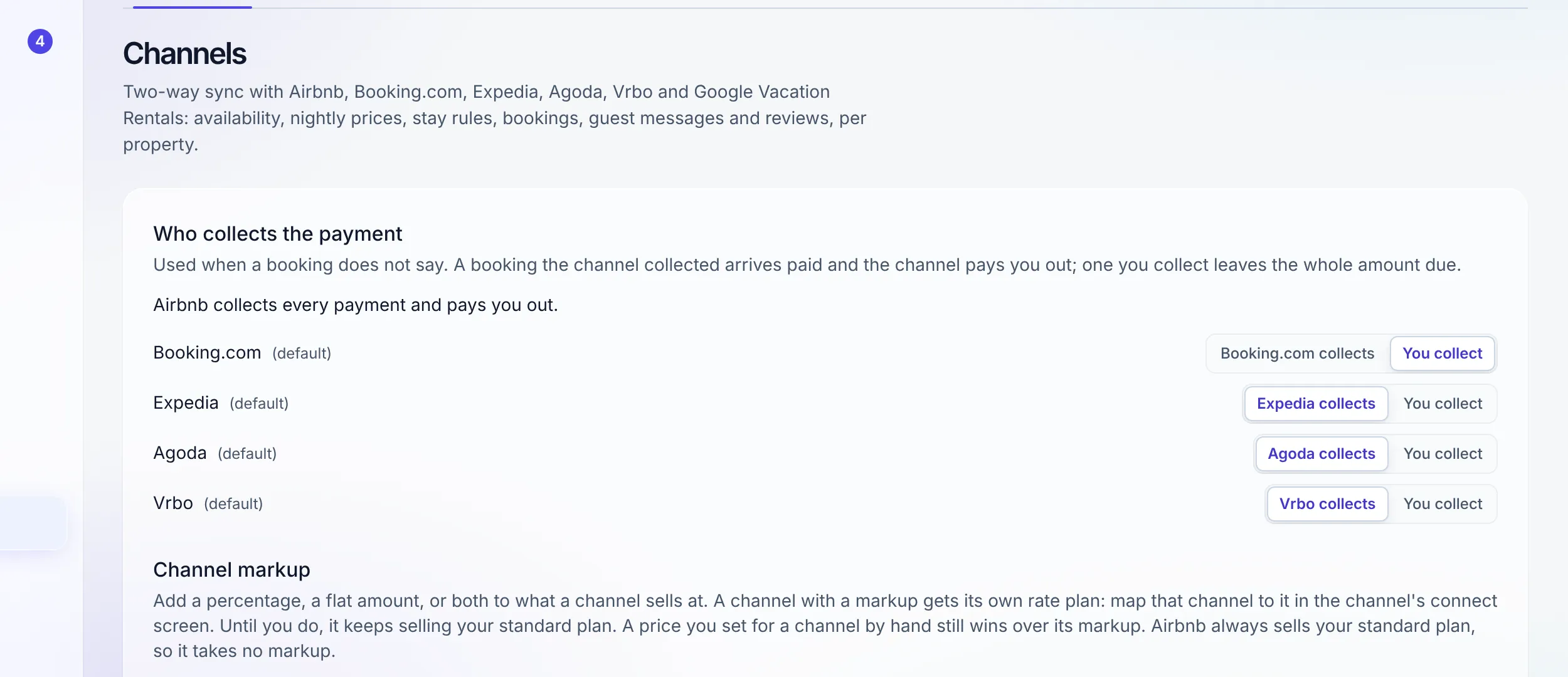
What does not come across, stated plainly
- A historical general ledger from another accounting system. Bookings, guests and their payments import; a full prior GL does not. The normal pattern is to close the old books at a cut-off date and start the ledger here from that date.
- Channels beyond the six. Airbnb, Booking.com, Expedia, Agoda, Vrbo and Google Vacation Rentals connect two ways. Bookings from any other channel come in by import or by hand.
- Message history from another platform. WhatsApp conversations start accumulating here from the day you connect. Older threads stay wherever they are.
- Your old system's automations. The eight built-in automations are switched on here, and your own are written here, deliberately from scratch, because an imported rule nobody reviewed is an automation nobody understands.
If any of these are the blocker rather than an inconvenience, say so before you start a trial: hello@staynhost.com. A switch that should not happen is better identified in an email than in week three.
FAQ
Migration questions
How do my existing bookings get in?
Upload a spreadsheet. You map your columns to the fields once, preview every row before anything is written, then commit. If the result is not what you expected, roll the whole batch back. It is deliberately a four-step process rather than a single hopeful button.
What happens to bookings already on Airbnb, Booking.com or Vrbo?
Connect the channel and they come across through the channel manager rather than through the spreadsheet. The same goes for Expedia, Agoda and Google Vacation Rentals. The two paths do not fight: imported rows and channel bookings are distinguishable, so nothing is counted twice.
Do I have to move everything at once?
No. Most operators run the new system for arrivals from a chosen date, keep the old one readable for history, and import the past once they trust the present. The import can be run again for another period.
Can I bring my historical accounts?
Bookings, guests and their money come across through import. A full historical general ledger from another accounting system is not imported; operators normally close the old books at a cut-off date and start the ledger here from that date. Your accountant will recognize the pattern.
How long does setup actually take?
Creating the workspace, adding a property with its units and base rate in one form, and connecting WhatsApp are an afternoon. Each channel needs its own connection step, and the Feature status page in Setup shows what is on, what needs setup and where to set it. The Start Here guide is eight chapters and is written for somebody doing it once, not for somebody who already knows.
What if I am coming from Hostaway or Guesty?
Export your bookings from them and import the spreadsheet here. Read the honest comparison first, including the rows where they win, so you switch knowing exactly what you gain and what you give up.
Try it alongside what you use now
Fourteen days of full Growth access, no card, and an import you can roll back.
Start free trial