WhatsApp guest messaging
From a guest's first "hi" to a confirmed booking, without leaving WhatsApp.
In most of the world, guests do not fill in contact forms. They message you. Stay n Host turns that first message into an inquiry, the inquiry into a quote, and the quote into a verified, ledgered booking, all inside the chat your guest already trusts.
The part nobody else built
A first message from a stranger opens an inquiry. Automatically.
The moment an unknown number messages your business, Stay n Host opens an inquiry with the full chat attached. No copy-paste, no "can I get your email", no lead dying in a personal phone. Hostaway and Guesty offer WhatsApp messaging only tied to an existing reservation, which misses the entire conversation where the booking is actually won.
That gap is the whole game in bank-transfer markets. On our own production portfolio, August 2026, the inquiry pipeline runs on WhatsApp end to end.
See the honest comparison →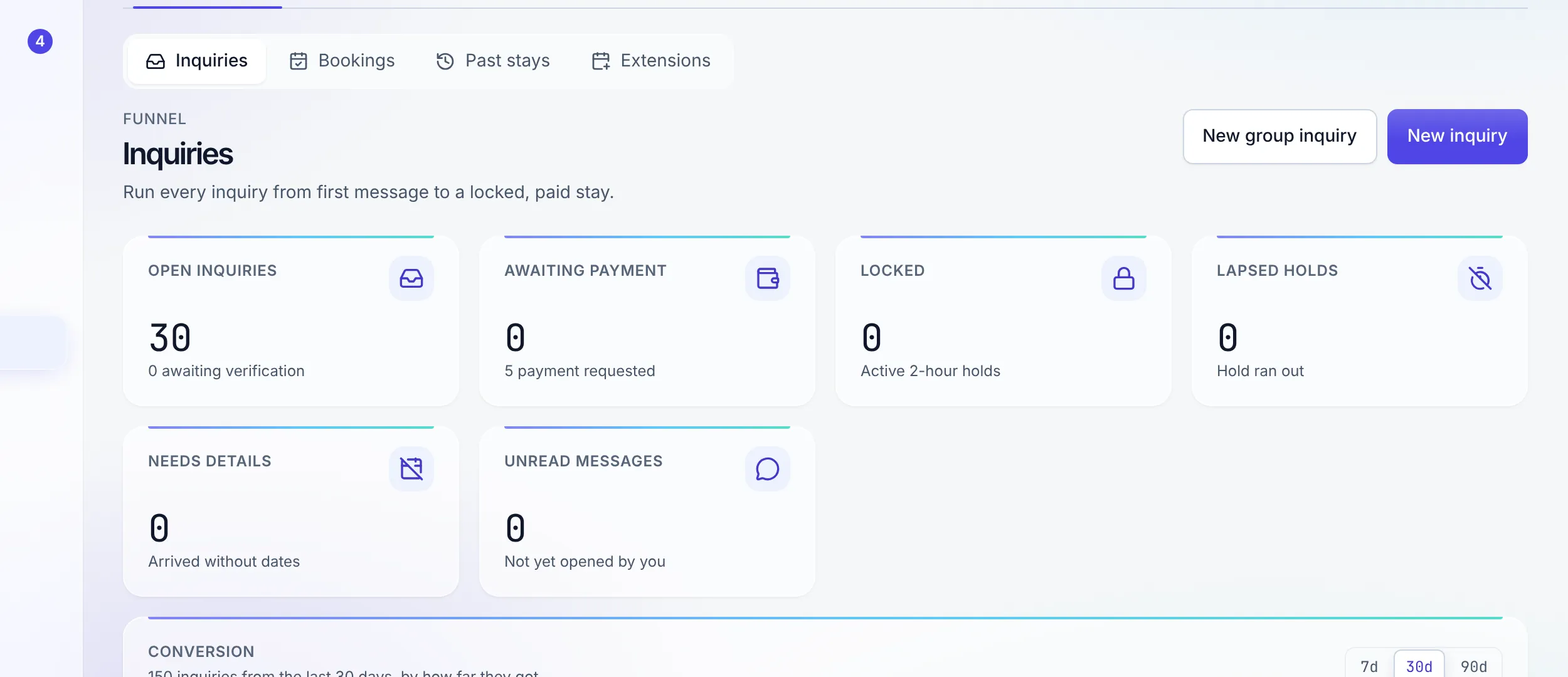
One inbox, whole team
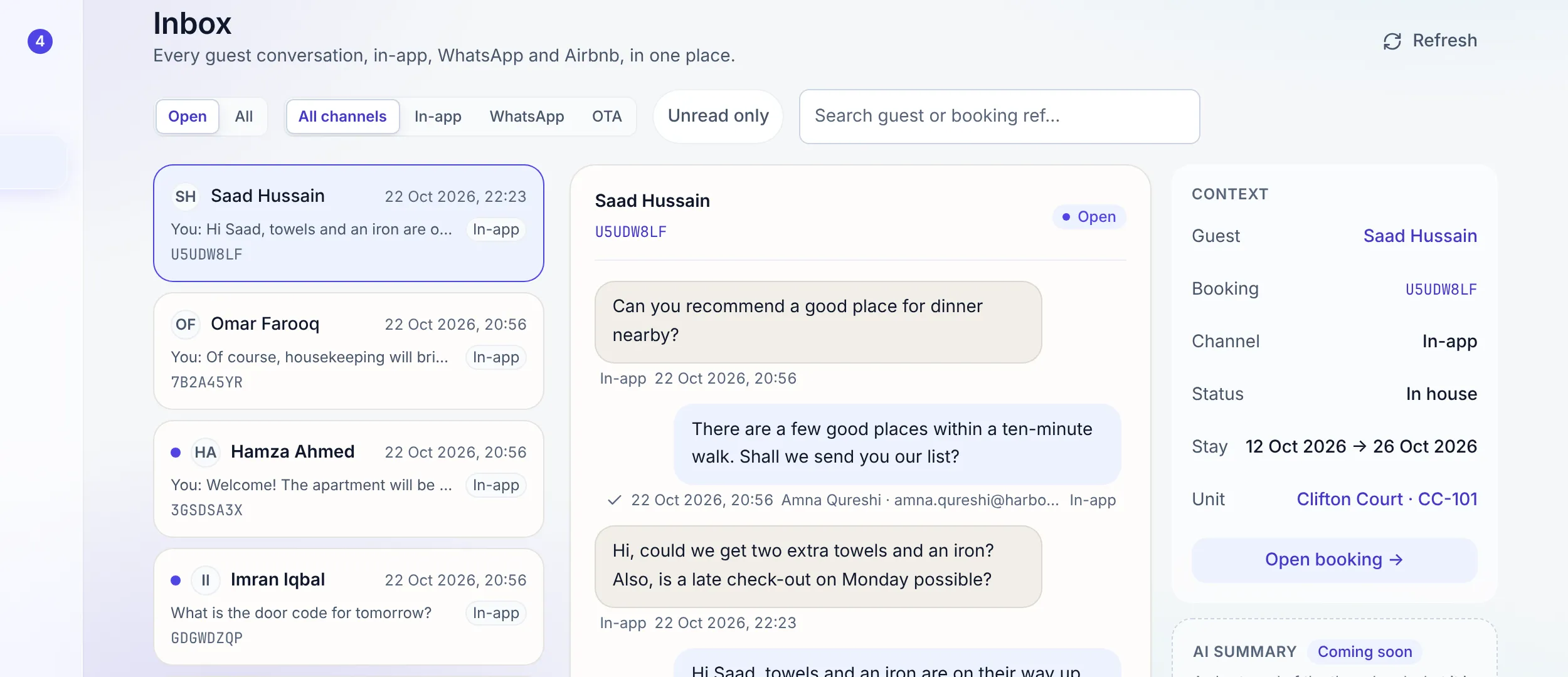
Retire the personal phones.
Every guest conversation lands in one shared inbox on your business number. Internal notes and @mentions keep the team's discussion inside the thread, invisible to the guest. A message template library keeps answers fast and consistent at 11pm, and the history belongs to the business, not to whoever happened to answer.
Chat to cash
Send a quote link. Get verified money.
Reply with a no-login quote link: your letterhead, an itemized quote, your bank details, and a place for the guest to upload proof of payment. Bank transfer and cash are the rails, not a fallback, and a person on your team verifies every proof before anything is confirmed or posts to the books.
Edit a quote and the old link is revoked on the spot, so a stale price can never be paid.
"The front desk of a modern rental is a WhatsApp thread."
Where verified payments go next →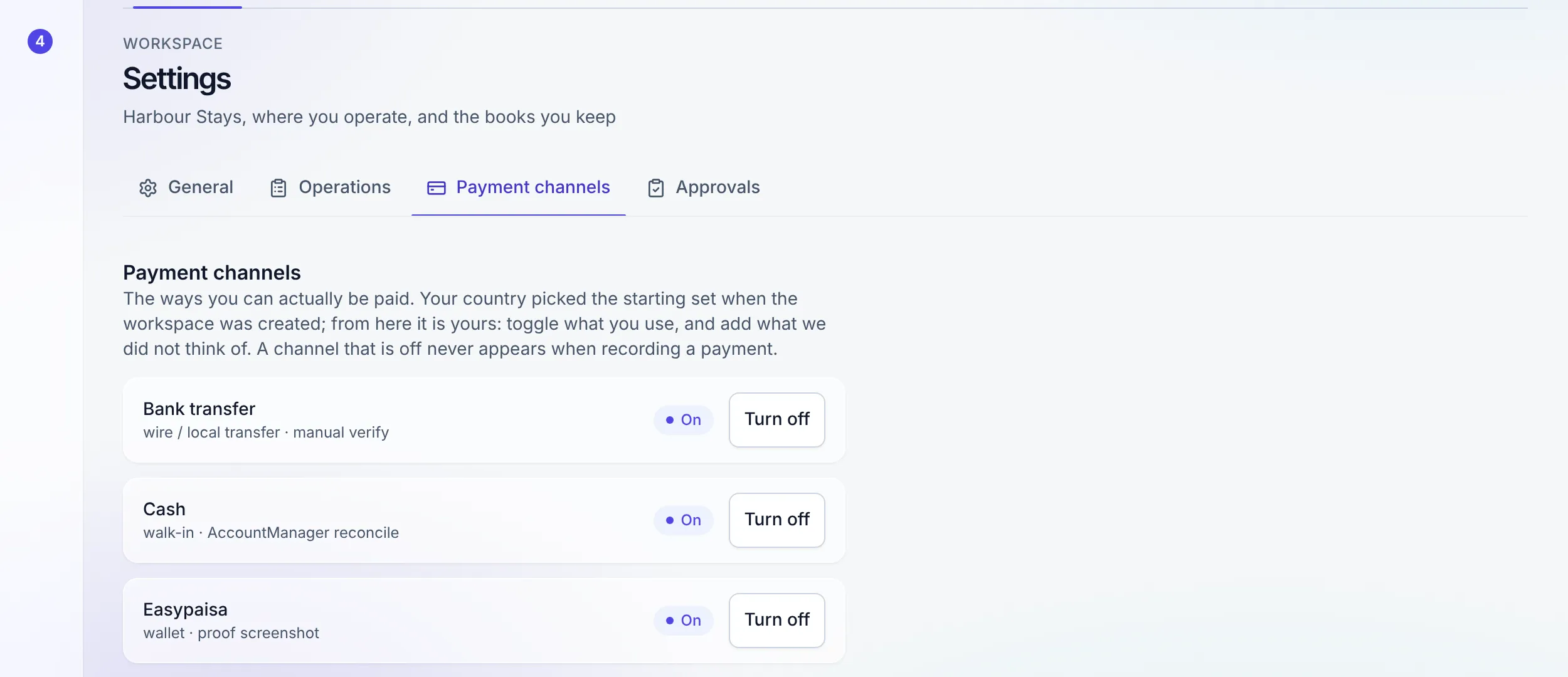
Beyond the inbox
The same number runs the operation.
Automations on your number
Booking confirmations and door codes go out over your own WhatsApp number, as a normal message inside WhatsApp’s 24-hour window and through your approved template outside it, or by email when neither applies. A door code releases only when payment and ID are both verified, re-checked at send time.
Meet the agents →The nightly ops report
At 00:00 the day's numbers arrive in the team's WhatsApp. Nobody logs in to find out how yesterday went; it is already in the chat.
Draft the reply with AI
With the AI guest replies add-on, Draft reply in the inbox writes an answer from the stay and the property's facts, in the guest's language, for you to edit and send. Money, refunds and door codes stay with a person.
The AI assistant →A quote that does not go cold
The unpaid-quote reminder nudges a guest once before the hold on their dates runs out, so a quote nobody paid does not quietly release the nights.
A funnel you can open
The inquiry conversion funnel shows where conversations drop off, and every band opens the inquiries behind it. Inquiries and the bookings they became link to each other, and a rejected inquiry tells your team, not the guest.
Message templates
A library of saved answers for directions, house rules, and late checkouts, so the reply at 11pm reads like the reply at 11am.
Connect in an afternoon
Bring your Meta WhatsApp Business Platform credentials. Two step-by-step guides in the app take you from zero to connected.
The connection guide →FAQ
WhatsApp questions
How is this different from WhatsApp on Hostaway or Guesty?
They attach WhatsApp to an existing reservation; Stay n Host starts earlier. A first message from an unknown number automatically opens an inquiry with the full chat attached, so the pre-booking conversation, where direct bookings are actually won, happens inside the system instead of on somebody’s personal phone.
Do guests message my staff’s personal phones?
No. The whole team works one shared WhatsApp inbox on your business number. Conversations, notes, and history stay with the business, so nothing walks out the door when an employee does.
How does a WhatsApp conversation become a paid booking?
You reply with a no-login quote link: your letterhead, an itemized quote, your bank details, and a proof-of-payment upload. Guests pay by bank transfer or cash. A person on your team verifies each proof before anything is confirmed or posts to the books.
What do I need to connect WhatsApp?
A Meta WhatsApp Business Platform account and its credentials. Two step-by-step guides inside the app walk you through creating the account and pasting the credentials in, and the same flow is documented at docs.staynhost.com.
Can automated messages go out on my WhatsApp number?
Yes, once you connect your number. Booking confirmations, door codes, thank-you notes and your own guest automations can send on it, alongside or instead of email. Inside WhatsApp’s 24-hour window they go as normal messages; outside it they use the message template you have had approved, and with no template they go by email, with the reason in the run history. The door code only releases when payment and ID are both verified, re-checked at the moment of sending, on either channel. The nightly ops report reaches your team on WhatsApp too.
Will guests ever see internal notes or @mentions?
No. Notes and @mentions live on your side of the inbox only. Guests see replies and nothing else, so the team can talk about a conversation inside the conversation.
Try the whole platform free for 14 days
Full Growth-plan access. No credit card. Your data stays yours.
Start free trial