Integrations
What it connects to, what it needs, and what it does not do.
A short list, kept honest: every integration below is built and switched on, with the plan that unlocks it. Where something is an export rather than a sync, or a webhook rather than an app, it says so.
Channels
Airbnb
Two-way: availability, prices, stay rules, bookings, changes, cancellations, guest messages and reviews, through Channex.
Starter and above
Connect Airbnb →Booking.com, Expedia, Agoda, Vrbo
Bookings, changes and cancellations through Channex, with who-collects per channel, the channel’s fee as a bill, and a per-channel markup.
Starter (two channels), every channel from Growth
Connect the other channels →Google Vacation Rentals
Connect through Channex’s Google partnership; Google sends guests to your own booking site. Every published site also serves a Google Vacation Rentals property feed.
Needs a published booking site
The Google feed →iCal export
A private calendar feed per listing for any tool that reads iCal. Export only: calendars are not imported by iCal.
Every plan
The iCal feed →Guests and messaging
WhatsApp Business Platform
Your own WhatsApp Business number from Meta. A guest’s first message opens an inquiry, and the team replies from the shared inbox instead of personal phones.
Every plan
Connect WhatsApp →Amazon Bedrock (AI)
AI draft replies, the per-property assistant and its guarded autopilot, booking-site translation, and Ask AI over the help centre.
Drafts and autopilot: AI add-on, $10 per AI unit. Ask AI: every plan
The AI assistant →Google Maps
The booking site’s search map with price pins, the location picker, and the map on each property page.
With the booking site
Direct booking →GA4, Google Tag Manager, Meta Pixel
Your own measurement on your booking site, behind a cookie banner in the guest’s language. Nothing from Google or Meta loads until the guest presses Accept all; Consent Mode v2 is set for every tag.
With the booking site
Analytics and ads →Doors
TTLock
Connect the account, map a lock to each unit (plus a shared front door), and a fresh code goes on the lock for every stay, valid from check-in to check-out. Needs a TTLock gateway.
Every plan, no add-on
Connect a smart lock →Nuki
The same per-stay codes on a Nuki Smart Lock with a Nuki Keypad, moved when a stay changes and removed at cancellation, no-show or check-out.
Every plan, no add-on
Door codes and the dual gate →Books
Xero and QuickBooks Online (export)
Turn a period of your ledger into the file Xero’s manual journal import or QuickBooks Online’s journal entry import reads, with your own account codes and tax rates. A file you import, not a live sync.
Operator, or the $25 add-on
Export to Xero or QuickBooks →Sign-in and notifications
Sign in with Google
Sign in or start a workspace with a Google account. There are no passwords in Stay n Host.
Every plan
Sign in with Microsoft
A Microsoft work or school account signs in to the same seat as its email address. Personal Outlook and Hotmail accounts are usually refused.
Every plan
Sign in with Microsoft →Web push
Notifications on a phone or computer even when the app is closed, per device and per category. A push never carries a guest’s name or phone number.
Every plan
Turn on push →API keys
A key can never do more than the person who made it.
Create a key under Setup, API keys. Name it after what will use it, pick when it expires (30 days, 90 days, a year, or never), and tick only the permissions it needs; only the permissions you hold yourself are offered. The key is shown once and stored hashed.
Every request re-checks what its creator may do now, and every write appears in the audit trail under the key’s prefix. Keys are rate-limited to about one request a second, with short bursts allowed. Approving money and releasing door codes are not even offered.
Create an API key →Webhooks
Signed events, retried, with a delivery log.
Add an endpoint under Setup, Webhooks and tick the events, grouped as bookings and enquiries, payments and refunds, guests, housekeeping, properties and prices, guest messages, and finance. Turn on Leave out personal details and a message carries only the event and its ids.
Every message is signed with HMAC-SHA256 and a timestamp. A failed delivery is tried up to nine times over almost two days, and the delivery log keeps 30 days with the exact body sent and a Send again button.
Set up a webhook →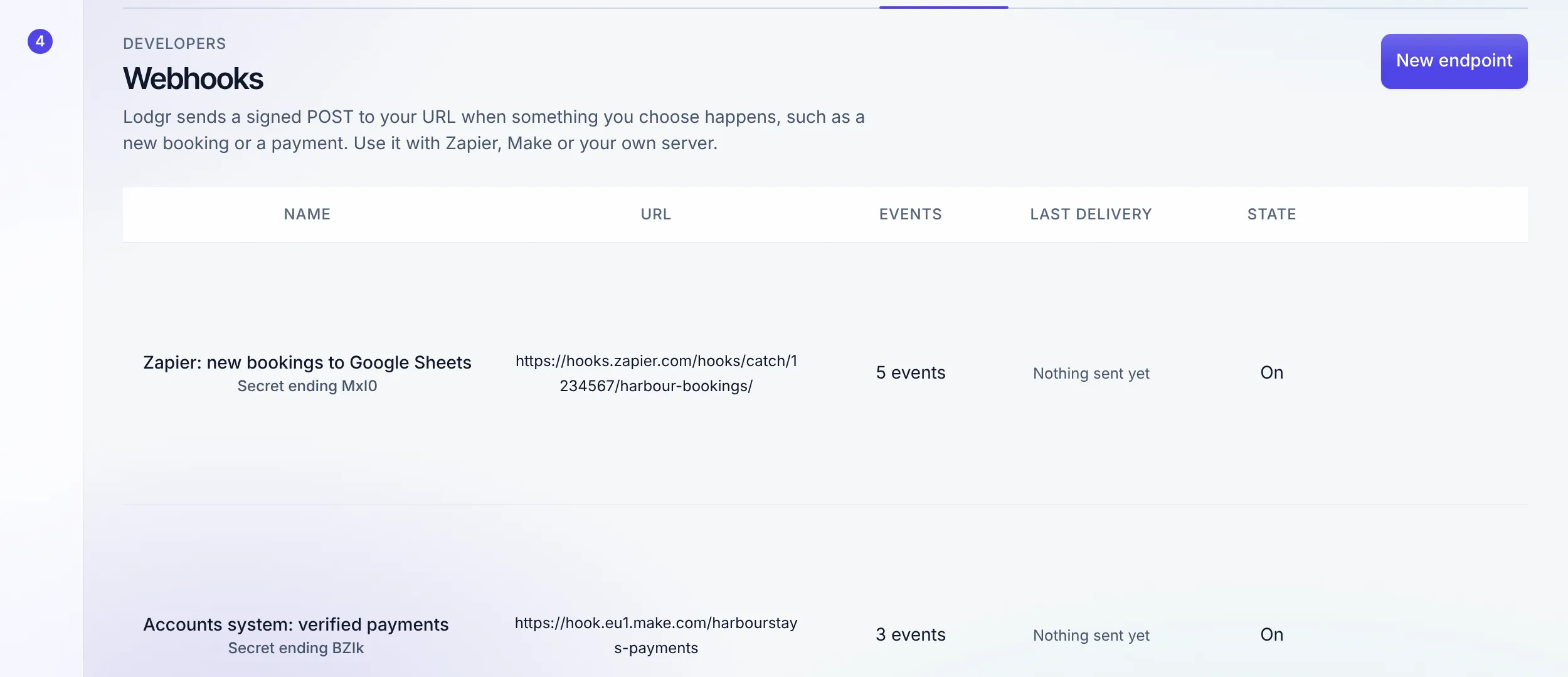
"An integration you cannot name the limits of is a liability."
Not available today: native Zapier or Make apps (use webhooks), a live two-way Xero or QuickBooks sync (export files only), any card payment gateway, smart locks other than TTLock and Nuki, iCal import, guest email inside the inbox, SMS to guests, single sign-on through SAML or SCIM, and connectors for Breezeway, Turno, Operto, Minut or NoiseAware.
FAQ
Integration questions
Is there a public API?
Yes. The REST API under /api/v1 is the same one the app uses, and its OpenAPI document is published at app.staynhost.com/api/openapi.json. Calling it needs an API key from a workspace with API access, which is part of Operator and Enterprise.
Do you have a Zapier or Make app?
No native app. Both connect through webhooks: in Zapier use Webhooks by Zapier, Catch Hook; in Make use the Custom webhook module; paste the address as a Stay n Host webhook endpoint. To write back, the other side uses an API key.
How do I know a webhook really came from you?
Each one is signed with HMAC-SHA256 over a timestamp and the raw body, using a secret shown once when you add the endpoint. Reject a message whose signature does not match or whose timestamp is more than five minutes old. You can replace the secret at any time.
What can an API key do?
Only what you tick when you create it, and never more than the person who created it can do right now. If their role loses a permission, the key loses it at the same moment; if their seat is removed, the key stops working. A key can never approve money, release a door code, make more keys or change the team.
Is the Xero and QuickBooks connection a live sync?
No. It is an export: you pick a period and download a journal file in the format Xero or QuickBooks Online imports, with your account mapping. Nothing in Stay n Host changes when you export, and nothing is pushed to the accounting software by itself.
Which smart locks work?
TTLock (with a gateway) and Nuki (Smart Lock with a Nuki Keypad). Other brands are not integrated; for them, hold static access codes per listing and Stay n Host relays them through the same payment and ID gate. The smart-lock integration is included on every plan.
Do you integrate with a payment gateway?
No. Stay n Host takes no card payments: guests pay by bank transfer, cash or the wallets you record, and a person verifies the proof. There is no Stripe or other gateway connection.
Check us
Ask your AI what we connect to.
Try the whole platform free for 14 days
Full Growth-plan access. No credit card. Your data stays yours.
Start free trial